
IPTV TV: What It Means, How It Works, and How to Set It Up Safely (UK)
IPTV TV simply means watching television delivered over an internet connection instead of cable or satellite. The technology is common and legitimate in many everyday services — what matters is how the content is authorised and how reliable your setup is.
Quick answer: what is IPTV TV?
IPTV TV is television delivered using Internet Protocol (IP) networks. Instead of receiving channels through a fixed broadcast signal, content is streamed when you choose it. In practice, that means you can watch live channels and on-demand video on smart TVs, streaming devices, set-top boxes, phones, tablets, or computers — as long as your internet connection and the platform are stable.
1) What IPTV TV means (in plain English)
Think of IPTV TV as a delivery route. Traditional TV uses broadcast networks (cable/satellite/antenna). IPTV TV uses the internet route — your device requests a stream, and the platform delivers it to you.
What IPTV TV usually includes
- Live TV: channels streamed in real time
- On-demand: content that starts when you press play
- Catch-up/time-shift: replay past programs (when supported)
- EPG: a schedule/guide inside the player (when supported)
Key idea: IPTV TV can look “the same” on screen across many services — the difference is usually reliability, support, policies, and authorisation.
2) How IPTV TV works behind the scenes
IPTV TV follows a fairly standard pipeline: content is collected, encoded into streaming formats, delivered via servers/CDNs, and then decoded by your app/device. When everything is configured well, it feels like normal TV — when it isn’t, you’ll notice buffering, delayed channel changes, or broken guide data.
What you control
- Your internet quality (not just speed — stability matters)
- Device performance (CPU/RAM/OS updates)
- Player settings (buffer, decoder, EPG refresh)
- Home network (Ethernet vs Wi-Fi, router placement)
What the platform controls
- Server capacity and routing
- Stream encoding quality
- Peak-hour load handling
- EPG schedule accuracy and updates
3) IPTV TV vs traditional TV
Here’s the practical difference most UK households notice day-to-day:
| Feature | IPTV TV | Traditional TV |
|---|---|---|
| Delivery method | Internet-based | Cable / Satellite / Broadcast |
| On-demand | Often built in | Limited (depends on provider) |
| Device flexibility | High (TV, boxes, mobile) | Mostly TV-only |
| Quality under load | Depends on network + platform | Often more consistent |
IPTV TV gives you flexibility — but it also means your home network and device choices matter more than they did with legacy TV.
4) Best devices for IPTV TV in UK homes
IPTV TV can run on many devices, but smoother performance usually comes from streaming devices or boxes that receive updates regularly and have stable Wi-Fi/Ethernet support.
Common device options
- Smart TV apps: simple, but performance varies by TV model/age
- Streaming devices: often more consistent, easier to update
- Set-top boxes: useful for advanced users, but quality varies widely
- Mobile/tablets: great for secondary viewing, not ideal as a “main TV” hub
If you’re comparing hardware costs, this related guide helps: IPTV box prices (what different tiers usually include).
5) A safer, smoother IPTV TV setup checklist
Most “bad IPTV TV experiences” come from a weak link: unstable Wi-Fi, overloaded routers, underpowered devices, or unclear service terms. Use this practical checklist before you commit.
Checklist (copy/paste)
- ✓ Prefer Ethernet for the main TV device if possible
- ✓ Use a modern router; place it away from thick walls/metal cabinets
- ✓ Keep TV/box firmware updated
- ✓ Test at peak hours (evenings/weekends)
- ✓ Confirm device rules: streams vs devices
- ✓ Read terms/refunds/privacy before paying
6) Performance problems: buffering, stutter, EPG issues
Buffering & stutter
- Try Ethernet for the main TV device
- Restart router (occasionally helps memory/uptime issues)
- Reduce other heavy traffic during peak viewing
- Use a more stable device/player combination
EPG/schedule not loading
- Refresh/clear EPG inside the app
- Check timezone settings (UK time)
- Allow enough time for the guide to populate
- Some services simply have weak EPG sources
A reliable IPTV TV setup is a combination: stable network + capable device + clear terms + responsive support.
7) Legality overview (UK): what actually matters
IPTV technology is legal. The legal question is whether the provider is authorised to distribute the content. If a service can’t explain authorisation/licensing, hides basic business details, or makes “too good to be true” promises, treat that as a major risk signal.
If you want a fuller breakdown, see: Is IPTV legal in the UK? (clear explanation + checklist).
8) FAQ
Is IPTV TV the same as streaming?
IPTV TV is a type of streaming that delivers TV/video using IP networks. Streaming is broader (YouTube, Netflix, etc.). IPTV TV is usually “TV-like” with channels, EPG schedules, and live playback.
Do IPTV TV apps provide channels?
Many apps are just players. They typically display whatever your account/playlist provides. The app itself usually doesn’t include channels.
What’s the best way to reduce buffering?
Start with Ethernet for the main TV device, modernise your router if it’s old, and test performance at peak hours. If the issue only happens during peak time, platform capacity can be a factor too.
Does a VPN make IPTV TV legal?
A VPN may help privacy on public Wi-Fi, but it does not change whether content distribution is authorised. Legality still comes down to rights/licensing.
External resources (safe)
- Google Search Central: SEO Starter Guide
- Ofcom (UK communications regulator)
- Cloudflare: What is streaming?
- Wikipedia: Internet Protocol television
- Wikipedia: Streaming media
- Akamai: Media delivery overview
Related posts
Hero image prompt (copy/paste)
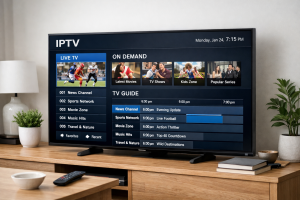
Prompt: Photorealistic modern UK living room at dusk. A large smart TV displays a generic “IPTV TV” dashboard UI with neutral tiles (Live TV, VOD, EPG, Profiles, Settings) and a small stability indicator (Wi-Fi/Ethernet). No logos, no channel names, no copyrighted content. A single realistic streaming box and one remote on the table, plus a smartphone showing the same generic IPTV TV interface. Soft natural lighting, realistic reflections, sharp focus, professional product photo, 16:9, high detail.
Suggested filename: iptv-tv-uk-setup-guide-2026.webp
Exact alt text: iptv tv dashboard displayed on a smart television with a streaming box and remote in a UK living room